We’re two weeks or so into a unit on Baz Luhrman’s Romeo + Juliet, and I’m really trying make it all about the film, but since I’ve only previously taught it as a play, albeit with heavy reliance on Baz, I keep slipping. The kids had no idea who or what I was talking about today when I was referring to “the Prince,” cause he’s “the Captain,” aka, “the police guy” in the film. Oops.
To prepare them for a test on the parts of the film we’ve watched/studied, I thought it would be both useful and fun to do a review in the form of a group challenge. I prepared six blank google slides, one for each group. Each group has their own colour, assigned by me, and name, chosen by them. I projected these slides in grid view, so we could all see what was being posted on them in real time.
I then asked questions- first easy ones, like, “post an image of Benvolio,” or “post a an image of water imagery,” from the film. (Taking screen shots from the viewing sections of the film we’ve been watching of characters, imagery, balanced composition, had been part of what they were required to do.)
It WAS very fun, and the students were clamouring (not all of them) to get points for having posted their images first. (points mean prizes) But it was all happening so quickly, and I was having difficulty awarding points justly. I was standing on the opposite site of the room from the white board where the slides were projected, recording points on chart paper tacked up the board next to me.
I asked the kids, “how can I do this better?” which resulted in a collective shrug. And then inspiration struck! I should be standing where the slides are being projected, and I can just write the scores on the whiteboard next to each slide!
This was a great improvement, and I was excitedly writing scores on the board next to the slides immediately as they appeared, 1st, 2nd, 3rd, when I realized…
I had been using a regular, thick black marker, instead of a whiteboard marker.
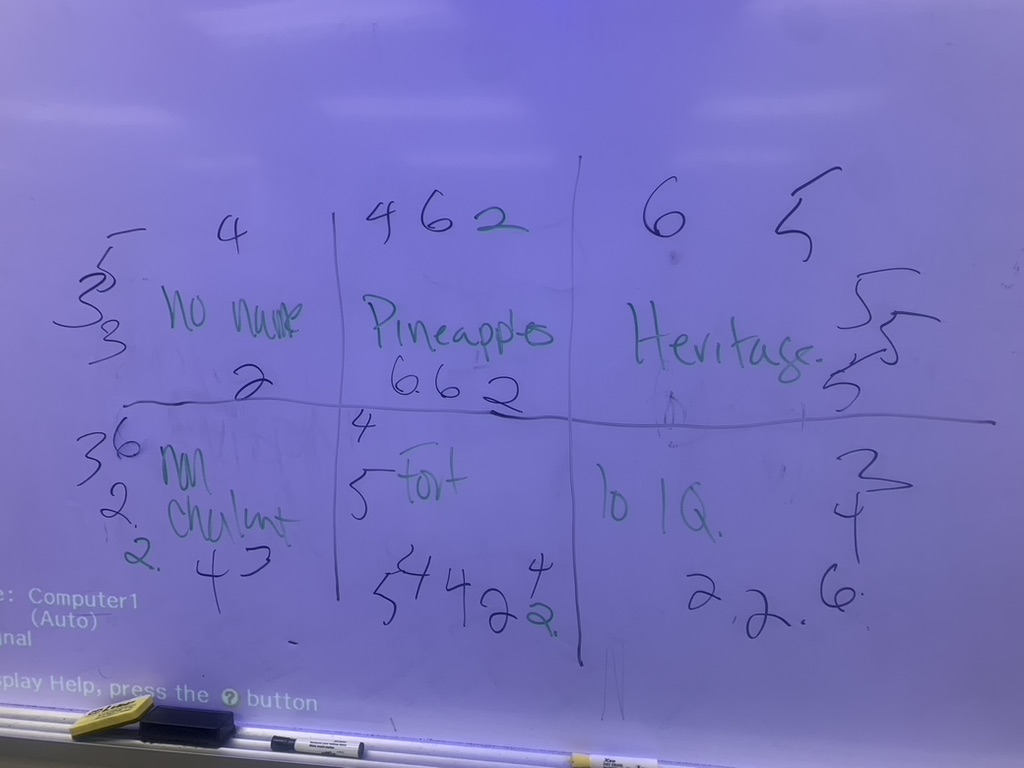
Ooops!
But this was when a few of my students sprung into action. One, who is a bit of a compulsive fixer (and for whom I have much affection and identification), said, “we can use hand sanitizer!” and immediately went in search of some. Another leapt up to help her. And then I turned to see another who was tracing the stains of regular marker with a white board marker, and then easily erasing it. “This works, too,” he said. At that point, I realized I was being crowded out by students being helpful, so I happily retreated and left them to it.
I found the whole thing very funny (especially after the white-board was cleaned!)
I was also really pleased with how well the technique itself worked.
15 years ago, or so, SmartBoards were all the rage, and the TDSB must have spent 100s of thousands of dollars on them. A colleague and I were invited by our principle to visit a school where they were being used, ostensibly so that we could give our feedback, and we were not entirely sold. They looked magical- in fact, the first time I saw one being used in an academic context, I cried. It was like seeing my jetpack.
But my colleague, who was tech-savvy and forward thinking, and I saw so many practical problems. The things were HUGE, so best left in one room, which would make resource sharing a problem. And this is always a problem. The amount of work it would take to design activities that would actually take advantage of their utility was prohibitive. And for students to engage with them, it required them to come up to the board, this strange, new board, in front of the class, which gave us serious doubts about how these things would improve “student success” for the kids who never want to come up to the board.
We naively thought our input would be considered. The next week, 10 SmartBoards were delivered to our school. And the problems we had anticipated proved true, and in fact, exceeded our expectations. I tried to use the tech meaningfully, productively, but, honestly, the best thing I did with Smartboards for students was to use them to play Winterbells on the day before the winter break. It was VERY fun to play on such a large touch screen, especially in the years before the Ipad!
I realized this week that using Google Slides projected on a whiteboard offers almost the same kind of interactivity that SmartBoards did. And with all of the students in my class having laptops/chromebooks, and the wifi having not let me down yet, even in the basement, they can engage without having to leave their seats, and with much more agency.
It reminds me again of listening to Seymour Papert urging administrators in the TDSB, in 2003, to invest in laptops for every student, to put the technology in the students’ hands. And how SmartBoards represented a lot of time, energy, training, and an embarrassing amount of money invested in the opposite direction.
I think I’m getting smrter.
 Katherine Parrish
Leave a comment